Case study / Plantation & commodities / ERP

Alpine Commodities

An ERP for a plantation commodities company in Medan and Belawan. Contracts, customs documents, warehouse stock and production run in one system, with reports ready whenever an auditor asks.

ERPInventoryExport & importReports
Alpine Commodities ERP dashboard with sales, purchases, work in progress and pending requests, above a yearly inventory chart

Client

PT Alpine Commodities

Industry

Plantation & commodities

Location

Medan · Belawan

Services

UI/UX design, Web development

Stack

Go, Next.js, PostgreSQL

01 / The problem

Where it started

Goods moved faster than the paperwork.

PT Alpine Commodities is a subsidiary of PT Alpine Renewables, working in plantation commodities out of Medan and the port of Belawan. A lot of goods pass through its warehouses, in and out, by contract and by customs document.

That volume made audits hard, whether the auditor came from inside the group or from outside it. The company wanted every record and every movement of goods kept in one system of its own, so an audit could start from the data instead of from a stack of files.

What success had to look like

One record of every kilo, from contract to warehouse.

  • 01

    Contracts for buying and selling, numbered by the system and sent as PDF.

  • 02

    Export and import values entered per customs document and checked against the contract.

  • 03

    Stock recorded per warehouse, through production and out again.

  • 04

    Reports the team and the auditors can open at any time.

02 / The process

Built on how the company already works.

Four steps, from mapping the business to opening the reports.

Phase 01

Map the business

Contracts, customs, warehouses and production, traced the way Alpine runs them.

Phase 02

Set the master data

Goods, currencies, storage locations, buyers, sellers and users with their roles.

Phase 03

Build the modules

Contracts, customs documents, warehouse and production, each reading from the same master data.

Phase 04

Open the reports

Internal and external reporting from the data the modules record.

03 / What we built

Seven modules, one set of data.

From the dashboard to users and roles.

01 / Dashboard

The month at a glance.

Sales and purchase value, goods in production and requests still waiting, above an inventory chart for the last 3, 6 or 12 months.

  • Work in progress pulled from the production warehouse
  • Pending goods requests counted as they come in
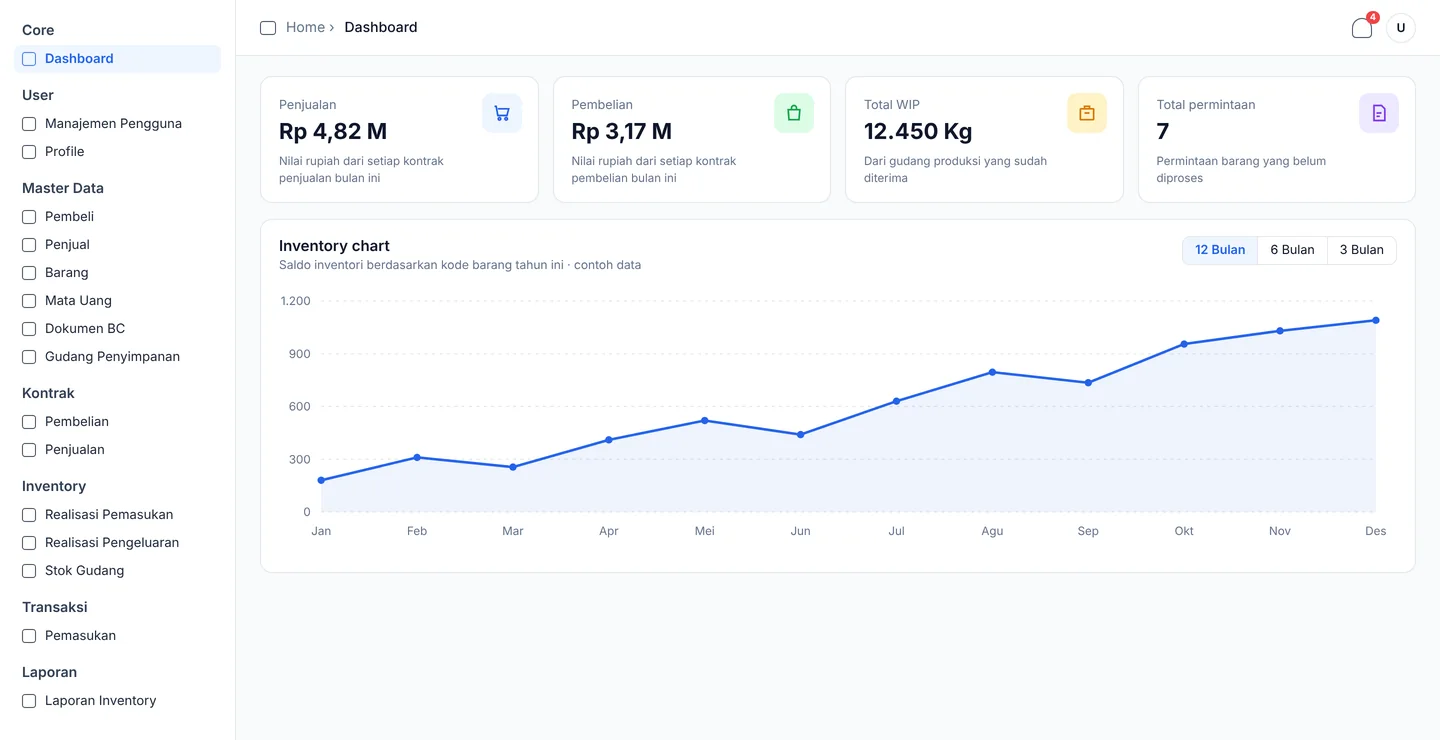
ERP dashboard with four summary cards and an inventory line chart

02 / Contracts

Contracts that number themselves.

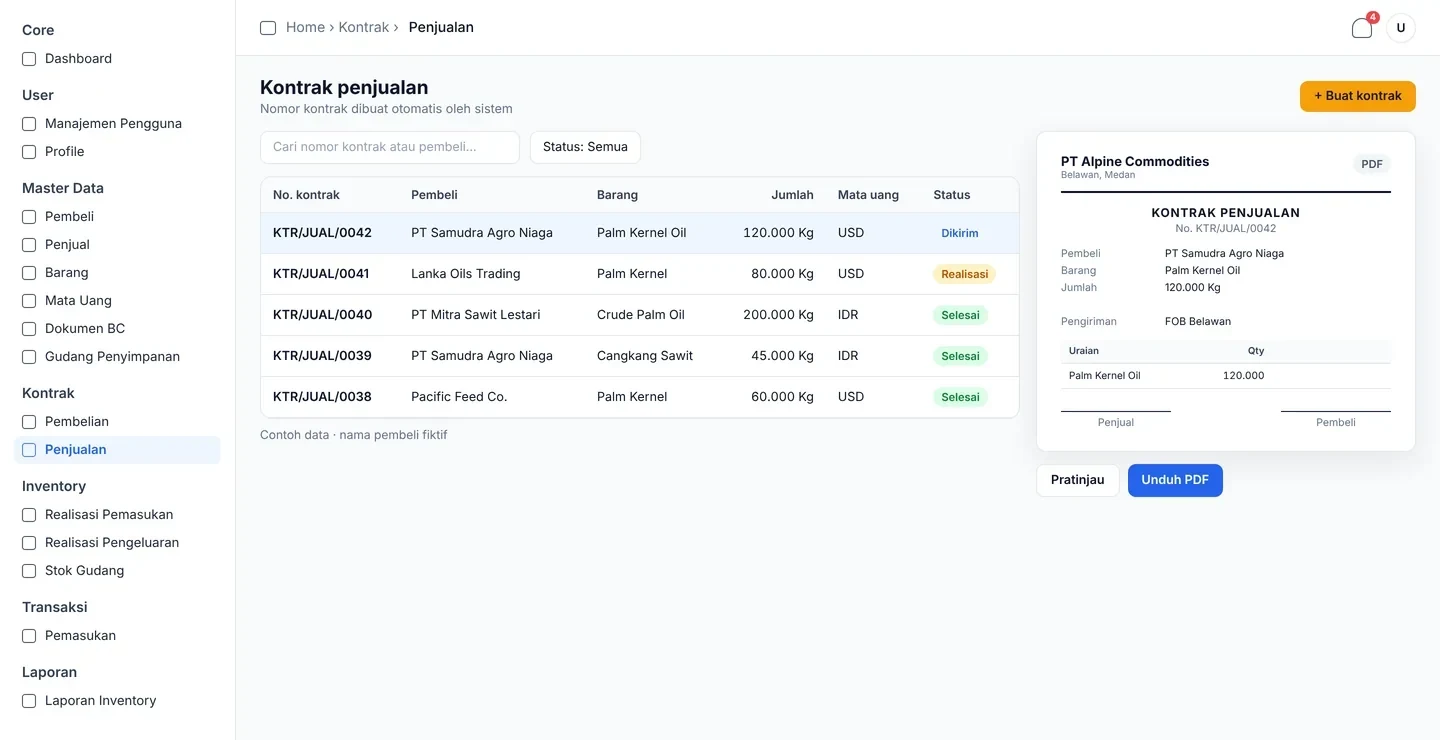
Sales and purchase contracts are built from master data. The system assigns the contract number and produces a complete offer letter as a PDF, ready to send to the buyer or seller.

  • Buying and selling in one module
  • Status from sent to fulfilled
Sales contract list with an automatically numbered contract shown as a PDF preview

03 / Customs

Every BC document checked against its contract.

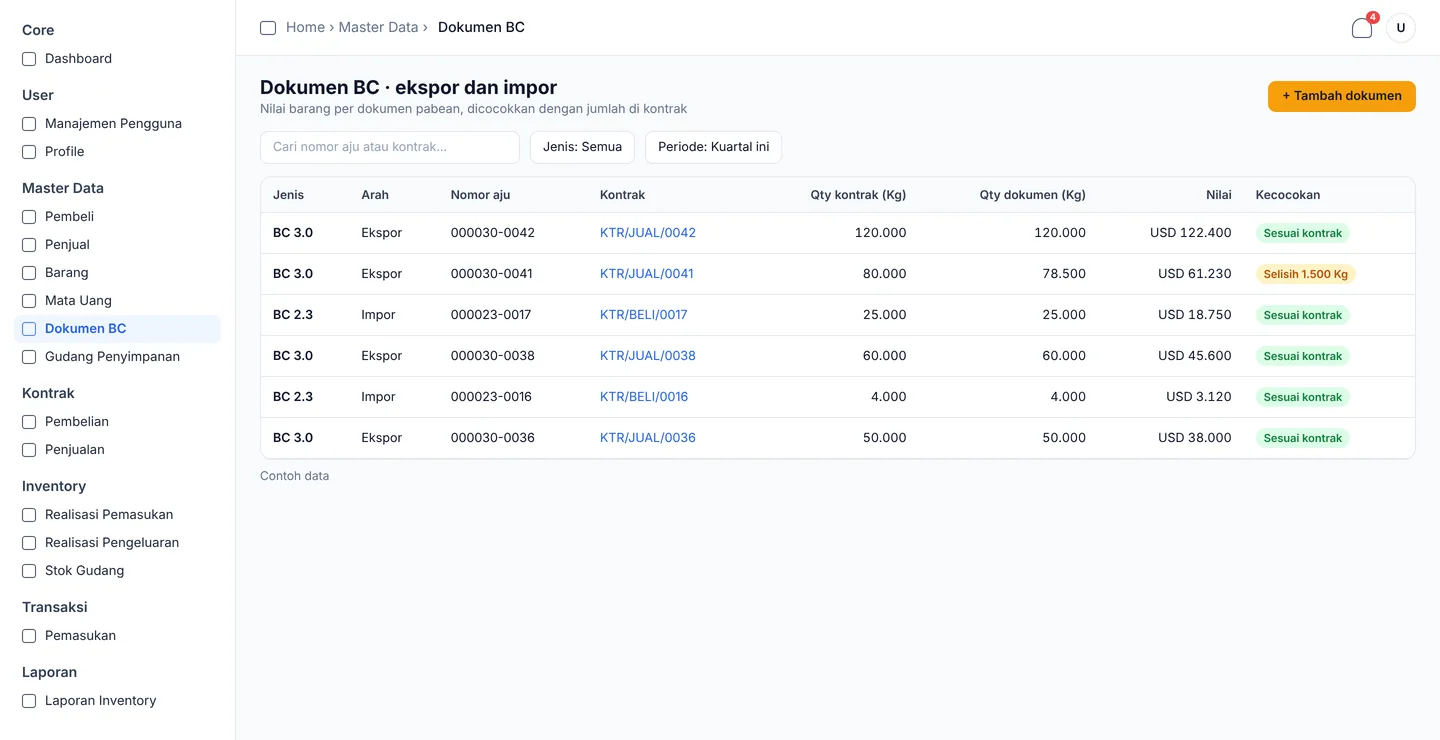
For each export or import document, the team and customs officers enter the goods and their value. The quantity is compared with the contract it belongs to, and any gap shows on the line.

  • Export and import documents in one list
  • Linked to the contract behind each shipment
Customs document list for exports and imports, with contract quantity, document quantity, value and a match status

04 / Warehouse & production

What the system says, next to what is there.

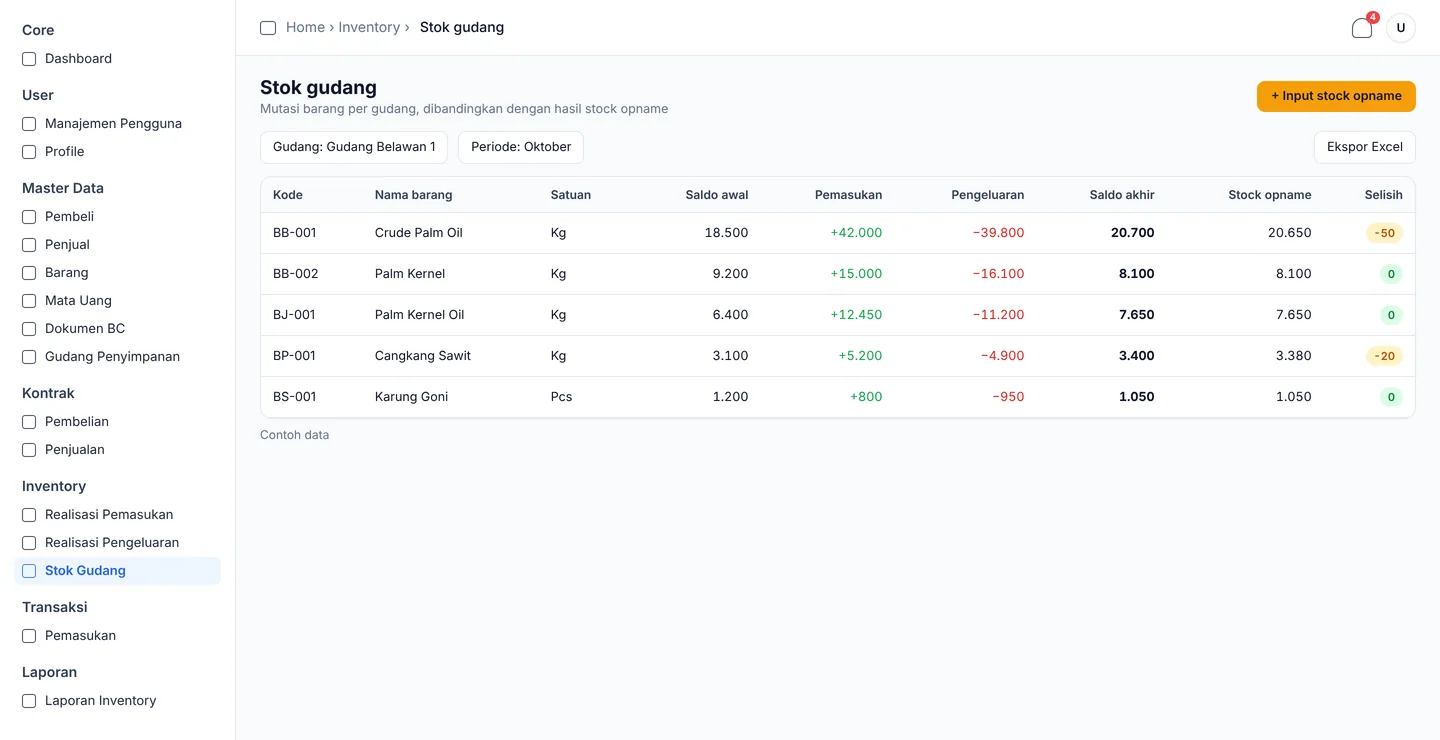
Warehouse staff record the goods each storage location holds, what goes into production and what comes out. A stock count sits beside the system balance, so a difference is visible before anyone reports it.

  • Opening balance, in, out and closing balance per item
  • Stock count compared line by line
Warehouse stock table with opening balance, incoming, outgoing, closing balance, stock count and difference

05 / Reports

Ready when the auditor arrives.

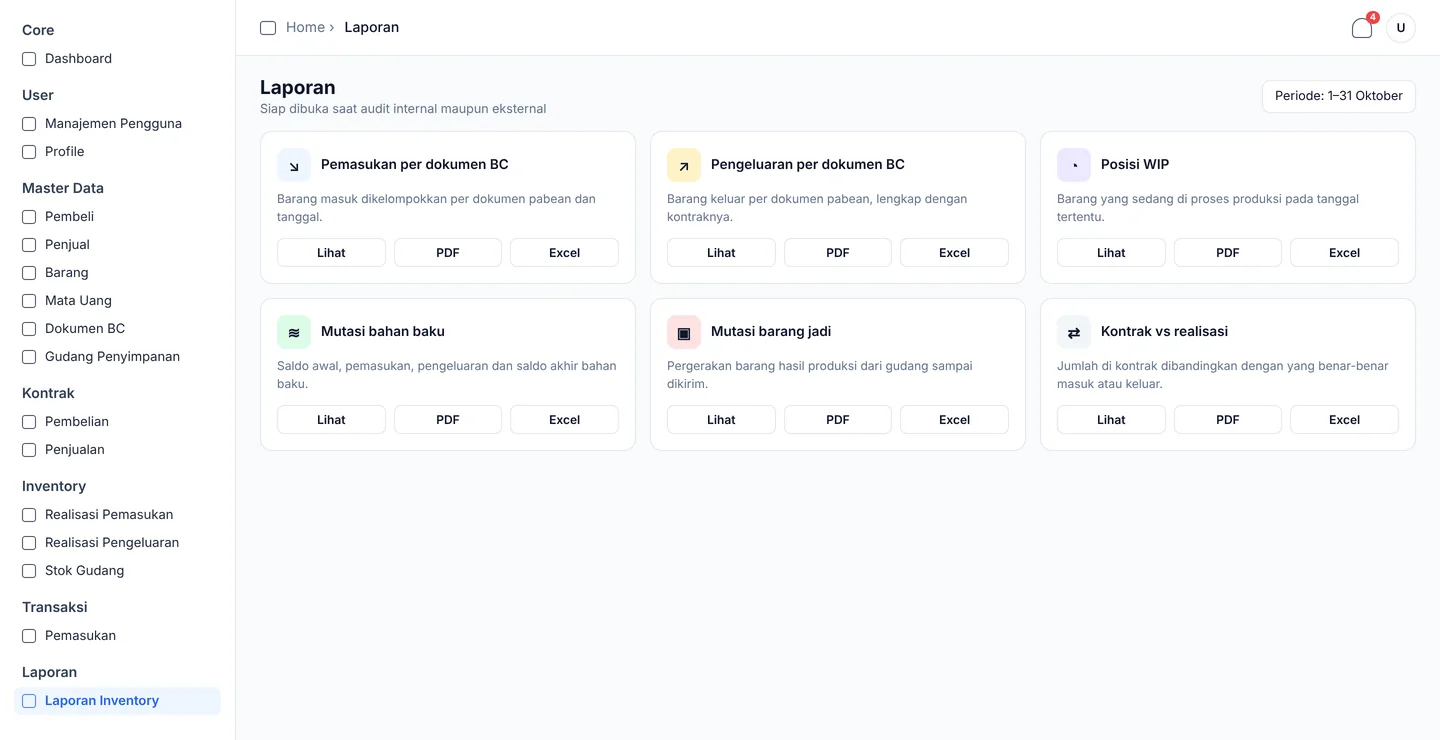
Movements in and out, goods in production and contract history come out of the same data the teams enter every day, for any period, as PDF or Excel.

  • For internal and external audits
  • Stock reports for management without a manual recap
Report centre with inventory and customs reports, each available to view or export as PDF and Excel

06 / Master data

One list everything reads from.

Goods, currencies, storage locations, buyers and sellers are kept once and reused by contracts, customs documents and the warehouse.

  • Goods, currencies and storage locations
  • Buyers and sellers
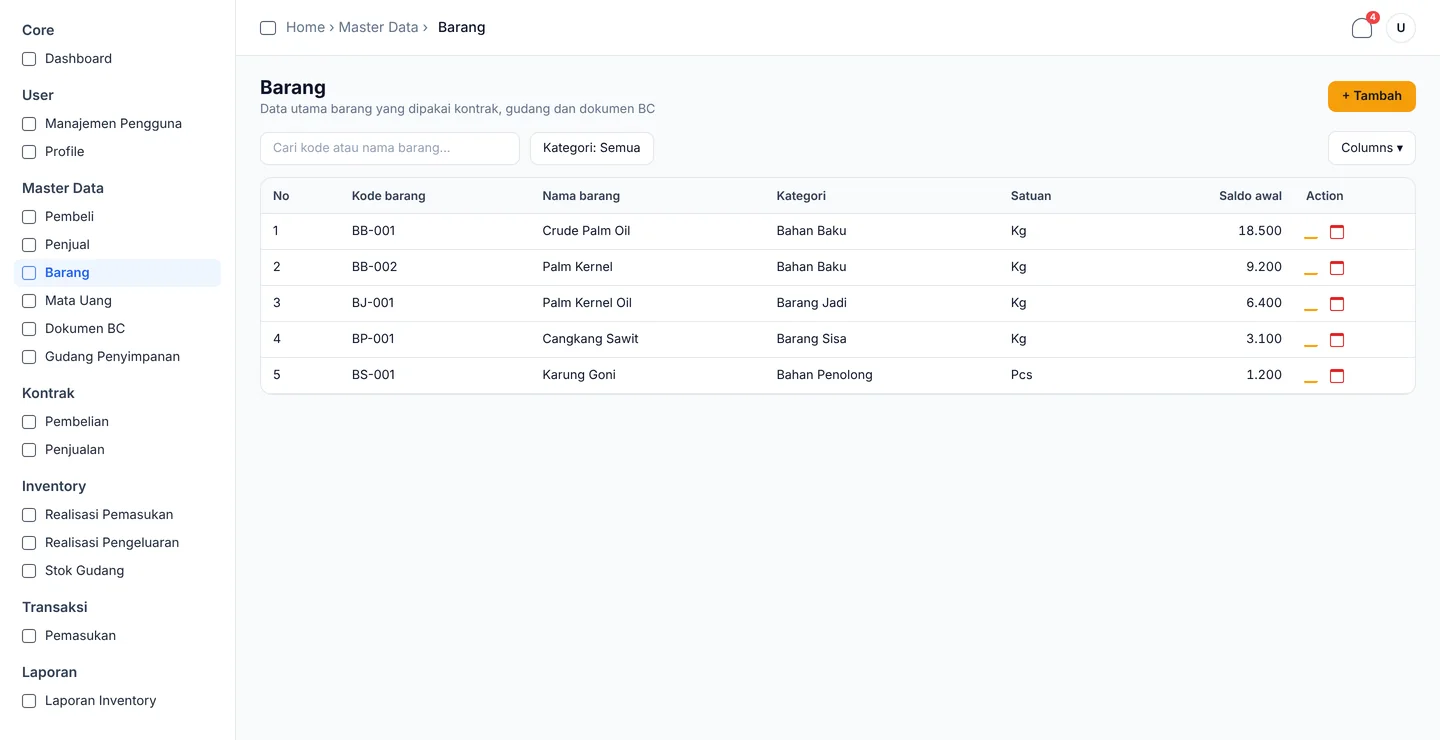
Goods master data list in the Alpine Commodities ERP with item code, name, category, unit and opening balance

07 / Users & roles

Each person sees their own part.

Every user has a role, and each role has its own permissions, so warehouse staff, the export team and management only open the data that is theirs to see.

  • Gudang: stok, realisasi pemasukan dan pengeluaran
  • Ekspor: kontrak, dokumen BC
  • Manajemen: dashboard, laporan

Screens recreated for this case study with sample data. Buyer names and figures are fictional.

04 / Results

An audit that starts from the data.

Audit, contracts, stock and management, with everything in one system.

Audit

Every movement on record.

BeforeA high volume of goods that made internal and external audits hard.

NowThe system records every entry, so auditors from inside or outside the group work from one source.

Contracts

Numbers and PDFs by the system.

NowContract numbers and offer letters are generated automatically, for buying and for selling.

Stock

The floor and the system agree.

NowStaff check the actual quantity in a warehouse against the system, and a difference shows up straight away.

Management

Stock reports without the chasing.

NowManagement reads stock positions from the reports instead of waiting on each warehouse to send one.

Next project / Practice management system

SYP Consulting

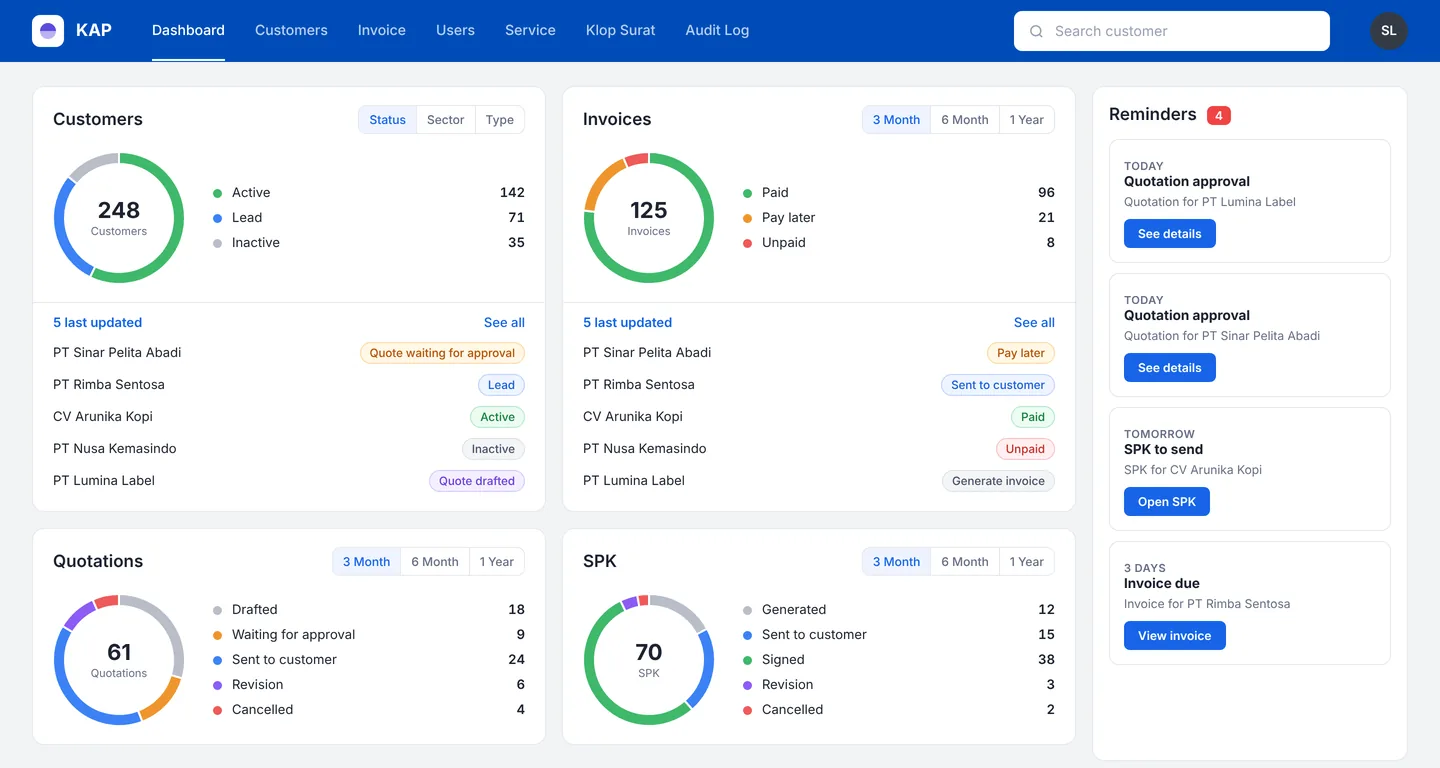
A practice system for an accounting and tax consultancy: customers, quotations, SPK and invoices in one pipeline, with documents in three languages.

Open project
SYP Consulting dashboard: donut charts for customers, invoices, quotations and SPK by status, with a reminders column on the right

Your buildcould benext.

Start

Reply within one business day